


|
Name |
ZalTV |
|---|---|
|
Google Play Link |
GET IT ON
Google Play
|
|
Category |
Video Players & Editors |
|
Developer |
ZALTV LLC |
| Last version | 1.3.4 |
|
Updated |
|
|
Compatible with |
Android 5.0+ |
What is ZalTV APK?
ZalTV is a mobile and smart TV application designed as a media player for IPTV content. It runs mainly on Android-based TVs and TV boxes, where users can manage and play their own streaming playlists. Instead of offering built-in channels, it acts as a tool that connects your personal media sources to a larger screen.
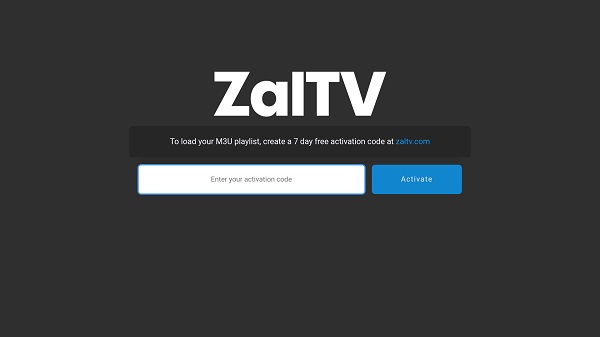
The app focuses on handling M3U playlists, which are commonly used for IPTV services. Users upload their playlist through the official website, receive an activation code, and then enter that code on their TV. This process keeps things simple and avoids typing long URLs using a remote control, which can be frustrating.
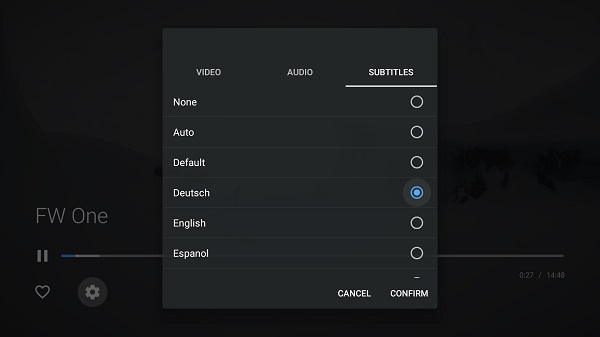
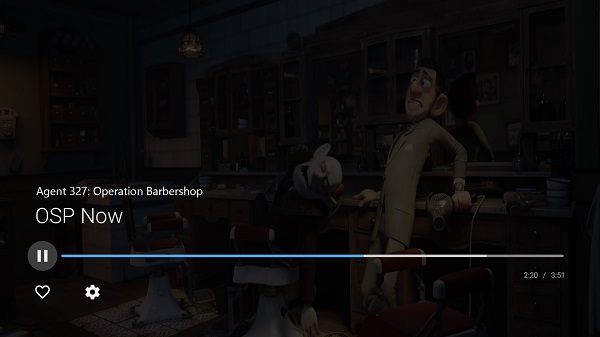
One of the most practical aspects of ZalTV is its interface. It is built specifically for large screens, so navigation feels natural when using a TV remote. Menus are clean, text is readable, and switching between channels or streams is smooth. This makes it suitable for people who want a straightforward setup without dealing with complicated menus.
Another strong point is flexibility. Since the app does not provide content, users have full control over what they watch. You can add playlists from different providers or even your own curated content. This setup works well for users who already understand IPTV systems and want a reliable player to handle playback.
There are also some limitations to keep in mind. ZalTV does not include any channels or media by default, which means beginners may feel confused at first. You need to find and manage your own playlists. In addition, the activation system requires internet access and a working code, which may feel like an extra step for some users.
ZalTV fits best for users who already use IPTV services or want a simple way to organize streaming content on a TV. It works well in home setups where a remote-controlled interface is preferred over mobile screens. For casual viewers expecting ready-to-watch content, it may feel a bit empty without preparation.
FAQs ZalTV
What is ZalTV used for?
+
ZalTV is used to play IPTV content through M3U playlists on smart TVs and Android TV devices.
Does ZalTV provide channels or movies?
+
No, ZalTV does not include any content. Users need to add their own playlists to watch media.
How do you activate ZalTV on a TV?
+
You upload your playlist on the official site, get a 10-digit code, and enter it into the app on your TV.
Is ZalTV free to use?
+
ZalTV usually offers a trial period, after which a small fee may be required for continued use.
Who should use ZalTV?
+
It is best for users familiar with IPTV who want a simple and clean player for managing playlists on a TV.
Discover More Interesting Apps
-
 Mod
Mod
Videoleap
v1.40.1
88.20 Mb
Updated -
Mod
Node Video
v9.0.3
142.93 Mb
Updated -
Mod
PrettyUp
v7.8.5
236.47 Mb
Updated -
Kwai
v13.9.10.646803
7.21 Mb
Updated -
Snack Video
v13.9.10.646803
69.52 Mb
Updated -
Mod
KineMaster
v8.2.14.37398.GP
175.91 Mb
Updated -
PL Pro 3
v4.1.1
5.58 Mb
Updated -
Mod
VLC
v3.7.2
47.35 Mb
Updated -
Mod
Rocks Player
vv12.1.470
94.25 Mb
Updated -
Mod
PowerDirector
v16.7.3
248.57 Mb
Updated









Share Your Thoughts